---
title: Top 10 Dental Practice Management Software Platforms (2026 Reviews)
description: Recommendations for the top 10 dental practice management software solutions in 2026, with information about pricing, features, security, and more.
image: https://blog.titanwebagency.com/hubfs/Blog%20Covers%202026/dental-management-software-reviews-cover-2026.jpg
---
[](https://titanwebagency.com/)
- About
[About Tyson DownsRead more about Tyson Downs](https://titanwebagency.com/about-us/tyson-downs/) [AboutRead more about the team at Titan Web Agency](https://titanwebagency.com/about-us/) [Our ReviewsWhat some of our clients have to say](https://titanwebagency.com/reviews/) [ResultsRead about results we've gotten for our clients](https://titanwebagency.com/results/) [Problems We SolveRead about some of the problems we can help you solve](https://titanwebagency.com/dental-marketing-problems/) [PortfolioCheck out our work](https://titanwebagency.com/portfolio/) [PodcastListen to our podcast](https://titanwebagency.com/podcast/)
Have questions?
Schedule a discovery call to discuss your practice goals.
Schedule Now
- [Blog](https://blog.titanwebagency.com/)
- Resources
Resources
[Dental Marketing GuideSix marketing channels to attract, convert, and retain more patients](https://titanwebagency.com/dental-marketing-guide/) [Running a Dental PracticeThe business disciplines that separate practices that grow from ones that plateau](https://titanwebagency.com/running-a-dental-practice/) [How to Get More Dental PatientsAttract, convert, and keep the patients your practice needs to grow](https://titanwebagency.com/attract-dental-patients/) [Dental Practice TransitionsEverything you need to know about buying, selling, relocating, or starting a practice](https://titanwebagency.com/dental-practice-transitions/)
Have questions?
Schedule a discovery call to discuss your practice goals.
Schedule Now
- Services
Services
[AI Search OptimizationHelp my practice appear in the AIO (AI Overviews), ChatGPT, Claude, Gemini, and more.](https://titanwebagency.com/services/ai-geo/) [Local SEOIncrease my local rankings in Google](https://titanwebagency.com/services/local-seo/) [Pay Per Click ManagementGet better results from Google, Bing, or Meta Ads.](https://titanwebagency.com/services/pay-per-click/) [Web DesignBuild me an awesome website](https://titanwebagency.com/services/web-design/) [Branding & RebrandingBranding or rebranding, we can handle it for you](https://titanwebagency.com/services/branding-rebranding/) [Logo DesignCreate a memorable & brand-able Logo](https://titanwebagency.com/services/logo-design/) [Review ManagementImprove my online reputation, help me get more positive reviews](https://titanwebagency.com/services/review-management/) [Website Hosting & MaintenanceHost, secure, & maintain my website](https://titanwebagency.com/services/website-maintenance/) [See all services →](https://titanwebagency.com/services/)
Have questions?
Schedule a discovery call to discuss your practice goals.
Schedule Now
[(801) 783-3101](tel:8017833101) [Get in touch](https://titanwebagency.com/contact/)
About
[About Tyson DownsRead more about Tyson Downs](https://titanwebagency.com/about-us/tyson-downs/) [AboutRead more about the team at Titan Web Agency](https://titanwebagency.com/about-us/) [Our ReviewsWhat some of our clients have to say](https://titanwebagency.com/reviews/) [ResultsRead about results we've gotten for our clients](https://titanwebagency.com/results/) [Problems We SolveRead about some of the problems we can help you solve](https://titanwebagency.com/dental-marketing-problems/) [PortfolioCheck out our work](https://titanwebagency.com/portfolio/) [PodcastListen to our podcast](https://titanwebagency.com/podcast/)
[Blog](https://blog.titanwebagency.com/)
Resources
[Dental Marketing GuideSix marketing channels to attract, convert, and retain more patients](https://titanwebagency.com/dental-marketing-guide/) [Running a Dental PracticeThe business disciplines that separate practices that grow from ones that plateau](https://titanwebagency.com/running-a-dental-practice/) [How to Get More Dental PatientsAttract, convert, and keep the patients your practice needs to grow](https://titanwebagency.com/attract-dental-patients/) [Dental Practice TransitionsEverything you need to know about buying, selling, relocating, or starting a practice](https://titanwebagency.com/dental-practice-transitions/)
Services
[AI Search OptimizationHelp my practice appear in the AIO (AI Overviews), ChatGPT, Claude, Gemini, and more.](https://titanwebagency.com/services/ai-geo/) [Local SEOIncrease my local rankings in Google](https://titanwebagency.com/services/local-seo/) [Pay Per Click ManagementGet better results from Google, Bing, or Meta Ads.](https://titanwebagency.com/services/pay-per-click/) [Web DesignBuild me an awesome website](https://titanwebagency.com/services/web-design/) [Branding & RebrandingBranding or rebranding, we can handle it for you](https://titanwebagency.com/services/branding-rebranding/) [Logo DesignCreate a memorable & brand-able Logo](https://titanwebagency.com/services/logo-design/) [Review ManagementImprove my online reputation, help me get more positive reviews](https://titanwebagency.com/services/review-management/) [Website Hosting & MaintenanceHost, secure, & maintain my website](https://titanwebagency.com/services/website-maintenance/) [See all services →](https://titanwebagency.com/services/)
Have questions?
Schedule a discovery call to discuss your practice goals.
[Schedule Now](https://titanwebagency.com/contact/)
[Call (801) 783-3101](tel:8017833101) [Get in touch](https://titanwebagency.com/contact/)
×
Updated January 8, 2026 by [Tyson Downs](https://blog.titanwebagency.com/author/tyson-downs) [1 Comment](https://blog.titanwebagency.com/dental-management-software-reviews#comments-listing)
# Top 10 Dental Practice Management Software Platforms (2026 Reviews)
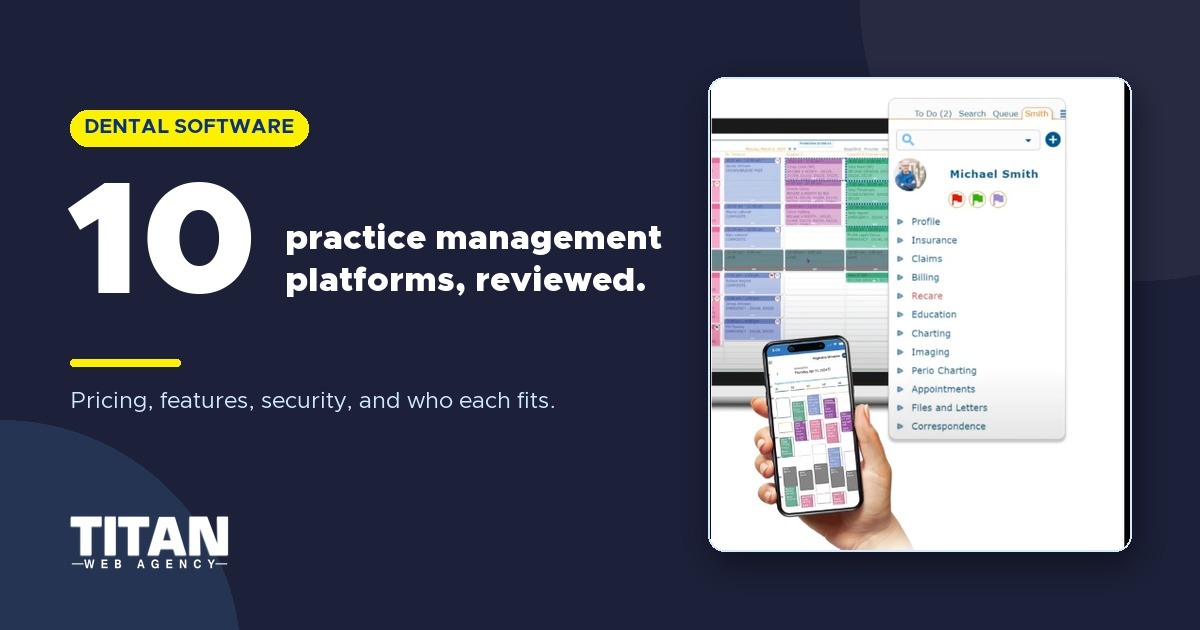
Having the right dental practice management software is a must if you want your dental practice to thrive and grow. Are you wondering:
## What’s the best way to choose dental practice management software?
The best way we know to choose the right dental practice management software for 2026 is to read expert evaluations and take advantage of free demos and free trials. That way, you can assess each option for yourself and select the one that meets your needs.
Our expert-reviewed guide compares 10 top solutions to streamline your practice and boost patient satisfaction.
Table of Contents
[What Is Dental Practice Management Software?](https://blog.titanwebagency.com/dental-management-software-reviews#what-is-dental-software) [Key Features of Dental Practice Management Software](https://blog.titanwebagency.com/dental-management-software-reviews#key-features) [What Questions Should You Ask Yourself Before Buying Practice Management Software](https://blog.titanwebagency.com/dental-management-software-reviews#buying-questions) [Which Security, Compliance, and Data Ownership Questions Should You Ask Vendors?](https://blog.titanwebagency.com/dental-management-software-reviews#security-compliance) [How Did We Evaluate the Software on Our List?](https://blog.titanwebagency.com/dental-management-software-reviews#evaluation-method) [The Best Dental Practice Management Software in 2026](https://blog.titanwebagency.com/dental-management-software-reviews#best-dental-software-2026)
[Best Overall: Open Dental](https://blog.titanwebagency.com/dental-management-software-reviews#open-dental) [Best for Patient Experience: CareStack](https://blog.titanwebagency.com/dental-management-software-reviews#carestack) [Best for Integrations: Curve Dental](https://blog.titanwebagency.com/dental-management-software-reviews#curve-dental) [Best for Ease of Use: Dentimax](https://blog.titanwebagency.com/dental-management-software-reviews#dentimax) [Best for Paperless Office Management: iDentalSoft](https://blog.titanwebagency.com/dental-management-software-reviews#identalsoft) [Best for Customization: Dentrix](https://blog.titanwebagency.com/dental-management-software-reviews#dentrix) [Best for Specialized Practices: tab32](https://blog.titanwebagency.com/dental-management-software-reviews#tab32) [Best for Orthodontic Practices: Cloud9](https://blog.titanwebagency.com/dental-management-software-reviews#cloud9) [Best for Automation: Oryx](https://blog.titanwebagency.com/dental-management-software-reviews#oryx) [Best for Small Practices: MOGO](https://blog.titanwebagency.com/dental-management-software-reviews#mogo)
[Which Dental Practice Management Trends Are Important for 2026?](https://blog.titanwebagency.com/dental-management-software-reviews#trends-2026) [Frequently Asked Questions](https://blog.titanwebagency.com/dental-management-software-reviews#faq) [Final Thoughts](https://blog.titanwebagency.com/dental-management-software-reviews#final-thoughts)
## Key Takeaways
- Open Dental remains our top choice thanks to its customizability and useful features.
- Our buyer’s guide includes information on features, pricing, integrations, and other key factors to help you make your decision.
- Identifying your top priorities will help you evaluate your options and choose the best software for your practice.
- Evaluating dental practice management software options regularly will help you minimize mistakes and oversights, attract new patients, and grow your practice.
- Our guide will help you narrow your choices, ask the right questions, and move your practice forward with the details you need.
This guide includes reviews of the most important features and capabilities to look for in dental practice management software, along with pricing information (where available) and other considerations.
Ultimately, the best dental practice management software for 2026 goes beyond managing patient charts and imaging; it also serves as a critical marketing engine, helping you with patient acquisition and retention, improving patients’ experiences (and reviews), and driving your online reputation.
Here are our picks for the 10 best dental practice management software solutions for 2026.
## **What is Dental Practice Management Software?**
There’s more than one way to manage a dental practice. Some dentists cobble together an array of tools that may include spreadsheets and single-purpose software or apps. If that sounds familiar, you may be wondering whether it makes sense to invest in dental practice management software in 2026.
Dental practice management software is an all-in-one solution that streamlines every aspect of dental or orthodontic practice management, including:
- Online appointment scheduling for patients, leading to less work for front-office staff
- Communication between dentists and patients for better treatment adherence and follow-ups
- Insurance and patient billing for fewer denied claims and collection calls
- Employee time tracking to assist with payroll
- Insurance claims processing to assist with claims accuracy
- Payment processing (including credit card processing) to make it easy to align financials with other elements of practice management
- Patient data management and security to minimize risk to patients and ensure HIPAA compliance
- Documenting patient charges and compiling notes to streamline charting and improve accuracy
- Integration with dental imaging tools and software to allow you to use the tools you want
- Diagnostic tools, including AI-powered advanced diagnostics, to improve patient outcomes
- Treatment plans and treatment tracking to keep patients on track with their overall dental health
Some dental practice management software versions serve as [patient engagement platforms](https://blog.titanwebagency.com/best-dental-patient-communication-software), allowing dentists to interact with patients and get to know them. Many include [dental imaging software](https://blog.titanwebagency.com/dental-imaging-software), while others include marketing tools to [help dentists grow their practices](https://blog.titanwebagency.com/dentists-can-attract-patients).
Ideally, the software you choose should include management tools that streamline your tasks as a practice manager, making it easy to deliver quality patient care.
## **What Are the Key Features of Dental Practice Management Software?**
We can’t tell you which dental practice management software is best for you and your practice, but we recommend reviewing these key features and deciding which ones are most important to you.
- **Appointment Scheduling and Reminders**. Scheduling features should integrate with your website and calendar and include automated appointment reminders to reduce no-shows.
- **Billing, Payments, & Insurance Processing**. The right software should automate billing calculations, generate patient invoices, and streamline insurance billing.
- **Clinical Documentation**. Your dental software should make it easy to create digital charges and integrate them with dental imaging equipment and software.
- **Treatment Plans**. It’s helpful to have practice management software that allows the creation of treatment plans and enables monitoring of patient compliance and progress.
- **Patient Records**. It should be easy to create and update patient charts and treatment plans. With cloud-based software, you can create, access, and update records from anywhere.
- **Security and Compliance**. HIPAA compliance is a must – and make sure to read about specific measures taken to keep patient records secure, including encryption. All of our recommendations are HIPAA-compliant.
- **Staff Scheduling**. Providing top-notch care for your patients requires scheduling the right staff at the right time. Color coding can help you keep track of treatments and where patients are.
- **Reputation & Online Review Management**. [Reputation management tools](https://titanwebagency.com/services/review-management/)in dental practice management software help automate [review requests](https://blog.titanwebagency.com/dental-patient-review), track patient feedback, and respond to online reviews efficiently. While many dentists rely on third-party tools, we suggest choosing software that integrates reputation management, making it easier to maximize ROI for every marketing campaign.
It's important to note that Dental PMS is often insufficient as a robust platform for managing ads and[tracking marketing campaigns](https://blog.titanwebagency.com/digital-marketing-mistakes). You don’t want to leave new patient leads on the table. This is where most PMS solutions fall short if not properly integrated with your digital strategy.
When we review our recommendations, you should assume that most of the key features are included. We’ll call out when they aren’t and mention any important features that we didn’t include in this section.
Picking the right platform is easier when you know what features matter. These [dental software tools and comparisons](https://titanwebagency.com/running-a-dental-practice/) help you sort through the noise.
Free Template
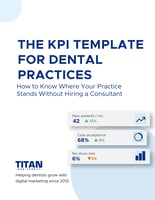
### Software won't tell you whether the practice is healthy
A new system changes how you record the numbers. It doesn't tell you which ones are drifting. Track the thirteen that do.
Thirteen KPIs calculated for you from twenty monthly inputs
Benchmarked against the American Dental Association where a figure exists, and against your own twelve-month average where none does
Color-coded, so the number that needs attention finds you
[Get the Free Template](https://info.titanwebagency.com/dental-kpi-template?utm_source=blog&utm_medium=inline_cta&utm_campaign=dental-kpi-template&utm_content=dental-management-software-reviews-mid)
A Google Sheet. Make a copy and start typing.
## **What Questions Should You Ask Yourself Before Buying Dental Practice Software?**
Several factors should be considered before selecting dental practice management software. We can’t tell you which features to prioritize or how much to spend, but here’s a quick checklist of questions to help you review your choices.
### **1. Which features are must-haves for your chosen software, and which can you live without?**
Remember that some software includes features in multiple categories, including administration, patient management, clinical, and marketing.
**What to ask in a demo**:
- Can you show me how your software handles the features I care about most (list them)?
- Which key features are included in the base plan vs. paid add-ons?
- Are any “core” features limited by user count, locations, or modules?
### 2. **What problems do you need to solve to grow your practice?**
If you’re looking to grow your practice, you might need to improve your patient retention rate, streamline repetitive tasks, or track KPIs to ensure you’re on track with your goals.
**What to ask in a demo**:
- Based on my goals (retention, efficiency, reporting, growth), what workflows in the software support those outcomes?
- Can you show me the exact tools that help track and improve those KPIs?
- What does success look like for practices like mine using your system?
### **3. Will you continue to use any of your existing software in your practice?**
If you’re adding dental practice management software to an existing suite of digital tools, think about whether your new software will seamlessly integrate with what you’re already using, including your hardware, imaging, and diagnostic machines.
**What to ask in a demo**:
- Can you provide a full integration list?
- Does it integrate with the specific tools we already use (name them)?
- Are integrations native, third-party, or custom, and are there extra costs?
- What data syncs automatically vs. requires manual steps?
### **4. Is my OS/browser supported?**
On a related note, make sure to check which operating systems/browsers are supported. You may need to update one or both to ensure optimal performance.
**What to ask in a demo**:
- Which operating systems and browsers are officially supported?
- What versions do you recommend for best performance?
- Are there known limitations or features that work better on specific browsers/devices?
### **5. How easy will it be for your staff to learn how to use the software’s features?**
Ease of use should be a priority since you’ll want your staff to get up to speed as quickly as possible.
**What to ask in a demo**:
- Can you show me the day-to-day tasks my team will do most often (scheduling, billing, notes, claims, recalls)?
- How intuitive is the interface for new staff, and what’s the typical learning curve?
- Can you demo the patient-facing tools (portal, forms, payments, messaging) from the patient’s view?
### **6. What kind of support is provided?**
Support will be essential for you and your staff. Technical support should be available during all office hours.
**What to ask in a demo**:
- What support channels are available (phone, email, chat), and what are the support hours?
- Is support included in the price, or is it an additional package?
- What is your typical response time for urgent issues during business hours?
- Do you offer after-hours support, and if so, what does it cost?
### **7. What kind of training is provided?**
Training is essential to get your staff up to speed quickly, particularly if you haven’t used practice management software before. You’ll need to consider which training will be most useful for you and your staff.
**What to ask in a demo**:
- What training is included, and how is it delivered (live, online, in-person)?
- Is training role-based (front desk, assistants, billing, provider)?
- Are there ongoing training resources (videos, help articles, webinars)?
- Is there an extra cost for onboarding, training sessions, or additional staff training?
### **8. How much does the software cost, and does it fit your budget?**
Most of the practice management solutions on our list offer custom pricing tailored to your practice’s specific needs, so it’s essential to inquire about pricing and obtain a quote. Be sure to ask about add-ons and hidden fees to ensure you have the complete picture before committing.
**What to ask in a demo**:
- Can you give an estimate today based on our practice size and needs?
- What is included in the price, and what costs extra (modules, users, support, upgrades)?
- Are there setup fees, contract terms, or cancellation fees?
- Can you provide a written quote with a complete breakdown?
### **9. How easy is it to migrate in and out of this system if we change vendors later?**
This question is important because sometimes a new PMS may not meet your specific needs despite the research you do ahead of time.
**What to ask in a demo**:
- What does onboarding migration look like, step by step?
- What data will you migrate for us, and what can’t be migrated?
- If we ever leave, how do we export our data, and in what format?
- Are there fees or restrictions for exporting data or ending the contract?
We recommend that you answer these questions yourself and obtain responses from key [staff members](https://blog.titanwebagency.com/dental-team-marketing), including dentists, hygienists, front-office staff, and your office manager. Keep track of their responses to be sure you have a clear idea of what you need, want, and can afford to pay.
Read our blog post: [Best Dental Scheduling Software](https://blog.titanwebagency.com/best-dental-scheduling-software/)
## **Which Security, Compliance, and Data Ownership Questions Should You Ask Vendors?**
Security needs to be top of mind when choosing practice management software. Here are a few questions to ask.
- Which HIPAA, HITECH, and Business Associate Agreements are in place?
- How do you manage data location and redundancy? (Include backup strategy & ransomware protection.)
- Who controls access to your data, including audit logs?
- What happens if you leave for another vendor? What export formats will be used? Are there fees for data extraction and/or retention?
- What AI diagnostic features are included, and have they been approved by the FDA?
- Will your software integrate with my existing software? (Examples may include imaging software, VoIP, marketing platforms, analytics/BI systems, accounting software, membership plan software, etc.)
In most cases, detailed security information is not included in the public-facing sections of vendors’ websites. We have inquired and will update this post as needed.
## **How Did We Evaluate the Software On Our List?**
We used these criteria when evaluating the software on our list.
- HIPAA compliance
- Basic features such as charting, appointments, and patient communication
- Ease of use (how quickly can you and your staff learn to use the software?)
- Availability of support and training
- Special features
- Online reviews from dentists
- Security & data protection
- Integrations/interoperability
Every dental practice management software we have included here has proven itself to be secure, HIPAA-compliant, and useful to dental practices, thanks to a broad range of features and easy-to-access support and training.
![Get Access Now Many PMS platforms don’t give clear pricing until late in the process. Use this free printable worksheet to make sure you ask about add-ons, support costs, and cancellation terms before you commit. \[Get the printable PDF.\] ](https://no-cache.hubspot.com/cta/default/414867/interactive-204813778597.png)
## **What is the Best Dental Practice Management Software in 2026?**
Before we reveal our top 10 picks for dental practice management software, here are a few things to keep in mind.
- Every option listed here is HIPAA compliant, so we will not mention it in individual reviews.
- The same goes for basic features such as patient scheduling, a patient portal, appointment reminders, integrations, and patient charting. We will highlight the unique features of each of our picks.
- In most cases, companies offer custom pricing. And you’ll need to call to get a quote. When pricing tiers are defined, we will list them.
- We will indicate whether the software is server- or cloud-based; assume you should use the latest OS and browser for the best results.
We have identified the type of practice each software solution is ideally suited for.
| Software | Deployment | Ideal Practice Type | Strengths | Pricing | Learning Curve |
| --- | --- | --- | --- | --- | --- |
| **Open Dental**  | Server | All sizes; good for new practices | Totally customizable; helpful support | Subscription model: starts at $179 per month | Medium |
| **CareStack**  | Cloud | Multi-location practices & DSOs | Patient experience features; user training | Custom pricing | Medium |
| **Curve Dental**  | Cloud | Practices that use other software | Seamless integrations, knowledge base, and patient engagement | Subscription model; custom pricing | Easy |
| **Dentimax**  | Hybrid | General practices | Intuitive interface; robust training | Subscription model: starts at $169 per month | Very easy |
| **iDentalSoft**  | Cloud | Eco-friendly practices | Paperless office management; lab & implant tracking | Subscription model; custom pricing | Easy |
| **Dentrix**  | Server | Practices that require customization | Easy customization; robust reporting | Custom | Medium |
| **Tab32**  | Cloud | Specialty practices | Mobile services; membership plan management | Custom | Medium-High |
| **Cloud 9**  | Cloud | Orthodontic practices | Ortho-specific features: treatment planning, workflows | Custom; special pricing for new practices | Medium |
| **Oryx**  | Cloud | Practices that need automation to grow | AI-powered features; special plan for Canadian practices | Four tiers; contact Oryx for a quote | Medium |
| **MOGO**  | Cloud | Small practices | Advanced charting; image annotation | Subscription model: starts at $250 per month | Medium |
### **1. Open Dental: Best Overall Dental Practice Management Software**

4.6/5 ([85](https://www.capterra.com/p/122350/Open-Dental/#reviews)) (Ratings as of 1/5/2026)
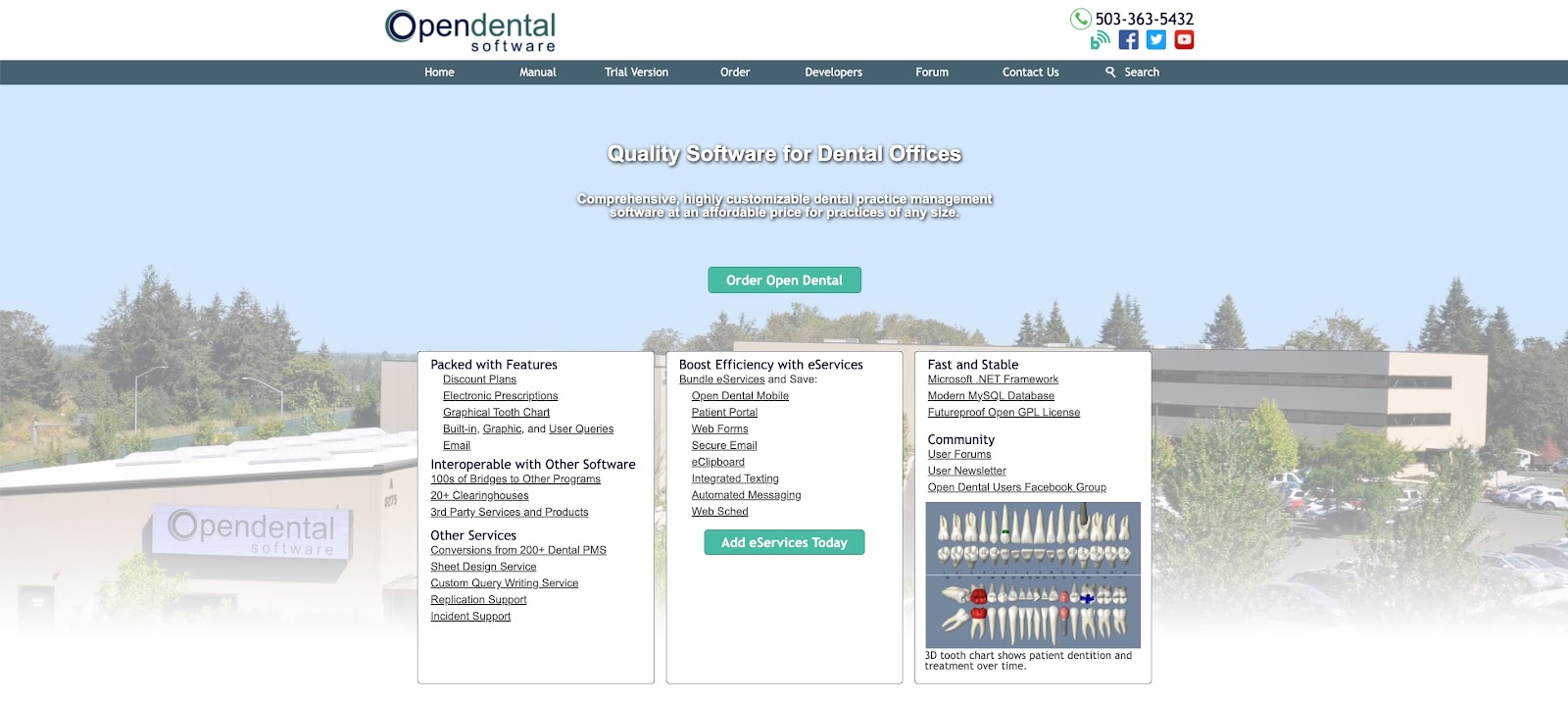
**Our Take**: [Open Dental](https://hubs.li/Q012nFNb0) remains our top PMS selection. It’s best for general practices and small groups that want highly customizable software and are comfortable managing a server or working with an IT vendor.
**Service Model:** Server/Online
**Ideal For:** Building a custom PMS that includes the features you want and doesn’t require you to pay for things you won’t use.
**Pricing Snapshot:** Starting at $179 per month per location. [Details here](https://hubs.li/Q012nG6K0).
**Unique Features**: Hands-free dental and ortho charting, claims management, eServices, integrated texting, electronic prescriptions, free mobile app
**Integrations**: [Open Dental’s API](https://www.opendental.com/site/integrationtypes.html) makes it easy for third-party systems to access your Open Dental data.
**Support & Training**: Phone & chat support included. Video training on YouTube; additional training available for $50/hour.
**Strengths**: Customization; can grow with your practice; free [30-day-trial](https://hubs.li/Q012nGsZ0).
**Tradeoffs**: Lacks some of the convenience of cloud-based systems.
  **Dentists say:**
A dentist on [Reddit](https://www.reddit.com/r/Dentistry/comments/14fjp5q/what_practice_management_software_would_you/) recommended Open Dental, saying it is *"pretty user friendly… I have used Dentrix, Eaglesoft, and Softdent previously, and Open Dental is my favorite."* A dentist on [Dentaltown](https://www.dentaltown.com/messageboard/thread.aspx?s=2&f=145&t=393390&g=1&st=open%20dental) said, *"Open Dental is affordable and easy to use. If you have multiple locations, it is a must-have."*
### 2. CareStack: Best for Creating an Optimal Patient Experience

4.8/5 ([171](https://www.capterra.com/p/176206/CareStack/#reviews)) (Ratings as of 1/5/2026)
### 
**Our Take**: [CareStack](http://www.carestack.com/) is our pick for dental practices of any size looking for a PMS solution to prioritize patient care and provide a welcoming experience.
**Service Model**: Cloud
**Ideal For**: Improving patient retention and satisfaction with patient-facing features that streamline patient intake, communication, and payment.
**Pricing Model**: CareStack offers custom pricing based on the number of locations, operatories, and providers. You can get a quote [here](https://carestack.com/demo?utm_campaign=titanwebagency&utm_medium=blog), and there’s a free demo available.
**Unique Features**: Patient kiosk, curbside check-in, dental pay-by-text, integrated card-on-file capabilities, and prescription management.
**Integrations**: CareStack offers [dozens of integrations](https://carestack.com/dental-software/integrations) with software for imaging, revenue management, diagnostics, patient engagement, and analytics.
**Support & Training**: In-person and live online training and onboarding. Clients have access to a library of online documentation, videos, and an active user community.
**Strengths**: Patient comfort and experience; robust training.
**Tradeoffs**: CareStack’s interface could be improved to be more user-friendly; it doesn’t work with Mac OS.
  **Dentists say:**
A dentist on [Reddit](https://www.reddit.com/r/Dentistry/comments/12szzw3/switching_out_of_eaglesoft_weve_been_looking_at/) said, *"Big fan of Carestack if you want to go cloud. Been amazing for us."* One dentist on [Dentaltown](https://www.dentaltown.com/messageboard/thread.aspx?s=2&f=161&t=366387&g=1&st=) pointed out, *"Carestack I don't believe has any imaging options that can acquire natively on MacOS, so acquisition machines must be Windows."*
### 3. Curve Dental: Best for Seamless Integrations

4.6/5 ([160](https://www.g2.com/products/curve-hero/reviews)) (Ratings as of 1/5/2026)
### 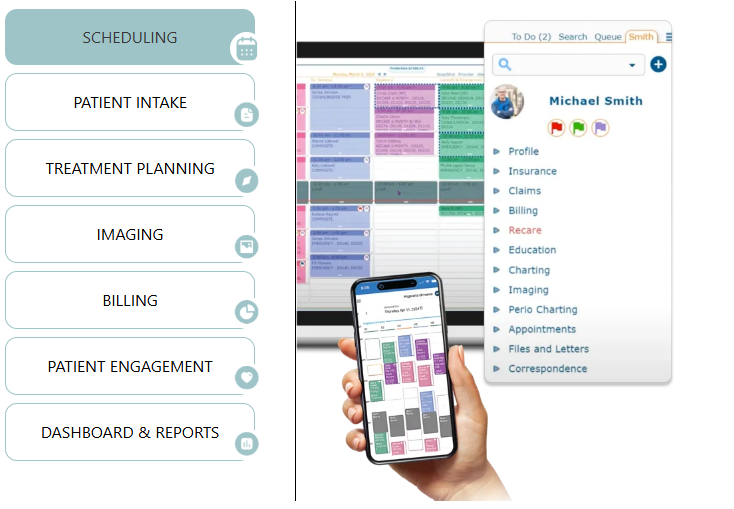
**Our Take**: [Curve Dental](https://www.curvedental.com/) is our pick for dental practices that use other software alongside their PMS and need a solution that offers seamless installations for ease of use.
**Service Model**: Cloud
**Ideal For**: Connecting with imaging software, marketing software, and apps to allow practices to integrate with existing software while still benefiting from Curve Dental’s features.
**Pricing Model**: Subscription-based pricing is customized for each practice. The easiest way to get a custom quote is to schedule a free demo, which you can do [here](https://www.curvedental.com/demo).
**Unique Features**: Curve’s GRO™ Patient Engagement feature, perio charting, ePrescribe, business intelligence, and access to FLO, Curve’s proprietary AI.
**Integrations**: Curve is a great solution for any practice that has multiple software solutions to integrate. There are [hundreds of integrations](https://www.curvedental.com/partner-list) across 21 categories, including payments and billing, marketing, patient scheduling and communication, and more.
**Support & Training**: Curve offers free, 24/7 tech support with live support, where we got an immediate response to our question. New clients get six virtual training sessions and can add four more if needed. An online knowledge base includes blogs, articles, videos, webinars, & case studies. In addition to the standard features, you can expect to find. We recommend Curve Dental for its robust features, stellar customer support, and unique features.
**Strengths**: Excellent customer support and training; smooth integrations.
**Tradeoffs**: Some of the payment features create roadblocks to accurate accounting.
  **Dentists say:**
A dentist on [Dentaltown](https://www.dentaltown.com/messageboard/thread.aspx?s=2&f=146&t=391587&g=1&st=) said, *"Reports are easy to find and use, and you can even build your own custom reports too. We have been happy with Curve Dental. I would say to check them out."* Another dentist on [Reddit](https://www.reddit.com/r/Dentistry/comments/126hq4o/software_alternatives/) said, *"They take feedback seriously and will work on whatever they get the most requests for first. They will even put you into a beta program if you suggest something and they start working on it, so you can give feedback and get it to work how you want it."*
### 4. Dentimax: Easiest to Use

4.5/5 ([94](https://www.capterra.com/p/10010658/DentiMax/)) (Ratings as of 1/5/2026)
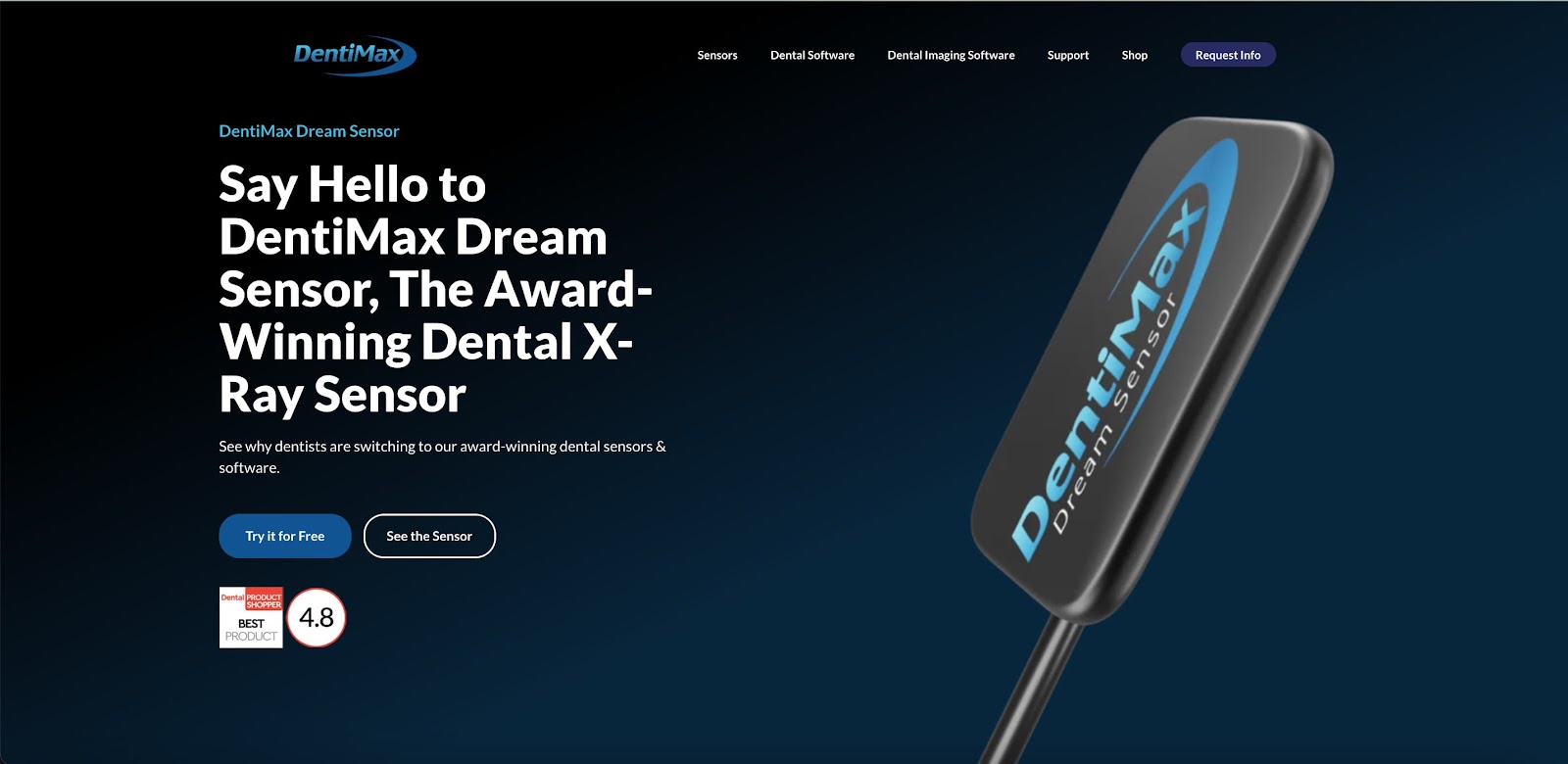
**Our Take**: [Dentimax](https://dentimax.com/) is our pick for the easiest-to-use hybrid dental practice management software. You, your front office staff, clinicians, and even patients will get up to speed quickly. Its design is intuitive with useful features to streamline routine tasks.
**Service Model**: Hybrid
**Ideal For**: New practices, thanks to its highly intuitive interface, as well as existing practices that don’t want to waste time with extensive onboarding and training.
**Pricing Model**: Subscription, with prices starting at $169 per month. Cost decreases to $129 per month in the second year. The ultimate bundle, with tech support and training included, starts at $358/month.
**Unique Features**: Digital patient registration, real-time insurance verification, line item accounting, integrated credit card payments, and payment plan management. Add-on features include cloud imaging and a web kiosk.
**Integrations**: Dentimax has formed partnerships with dozens of companies to provide [integrations](https://dentimax.com/partners/) with imaging, billing, and other software solutions across 8 categories.
**Support & Training**: Some support is available. The annual support package costs $699, and additional training is available for $99/hour. There’s an extensive online knowledge base.
**Strengths**: Easy to use, intuitive interface; useful payment & insurance features, comprehensive imaging & charting features.
**Tradeoffs**: If you want to go beyond the basics, training & support are expensive.
  **Dentists say:**
*We get paid faster and claims go out clean the first time!* and *High flexibility with great value for money. Dentimax is easy to use and able to get your practice up and running in no time.*
[Users at dental practices](https://www.capterra.com/p/10010658/DentiMax/reviews/)
### 5. **iDentalSoft: Best for Paperless Office Management**

4.6/5 ([61](https://www.capterra.com/p/148958/iDentalSoft/#reviews)) (Ratings as of 1/5/2026)
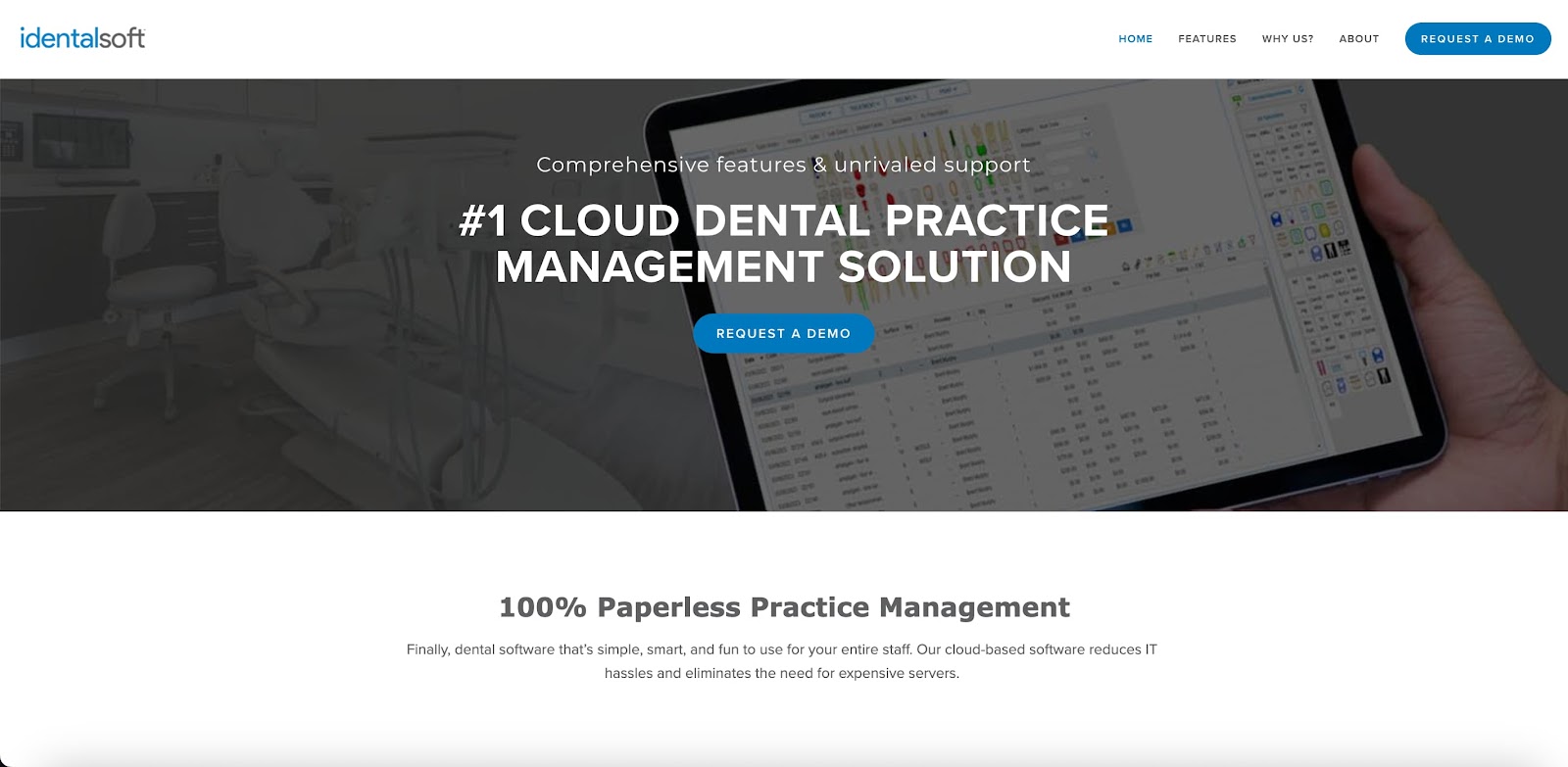
**Our Take**: [iDentalSoft](https://hubs.li/Q012nWcj0) is our selection for any dental practice that wants to create an environmentally-conscious practice by reducing paper use.
**Service Model**: Cloud
**Ideal For**: Minimizing paper use while still making patient files accessible in the cloud and taking advantage of all the features you’d expect with a robust PMS.
**Pricing Model**: Pricing is based on specific practice needs; we suggest contacting iDentalSoft for a quote. A free demo is available to new clients.
**Unique Features**: Role-based security, WhatsApp integration, lab case & implant tracking, and automated recall/recare capabilities.
**Integrations**: There are limited [integrations available](https://www.identalsoft.com/administrative), making iDentalSoft a better choice for new practices or those wanting to consolidate into a single software solution.
**Support & Training**: Email, Ticket, and Phone support are available during regular business hours, 9 AM to 8 PM EST. The support team regularly checks emails and tickets outside of business hours. When we submitted a ticket, we didn’t get an immediate response, but were able to follow up by phone. There’s unlimited training available, and you can request more training at any time.
**Strengths**: Ease of migration, paperless office management, role-based security, unlimited training.
**Tradeoffs**: Charting features could be more robust.
  **Dentists say:**
An [iDentalSoft user](https://www.google.com/search?q=identalsoft+reviews) said, *"Overall, iDentalSoft has improved both efficiency and patient experience in our office."* A dentist on [Dentaltown](https://www.dentaltown.com/messageboard/thread.aspx?s=2&f=161&t=361779&g=1&st=) said, *"They are making it better and better every year. I say at least one major software update a year, some years they've had multiple updates."* On the other hand, one [Reddit user](https://www.reddit.com/r/askdentists/comments/1mqiw08/identalsoft/) said, *"A group of dental practices I do IT work for have iDentalSoft and although it's a great program, it has become exponentially slow over the last few months with no real answers from their support team."*
### 6. **Dentrix: Best Customization**

4.3/5 ([375](https://www.capterra.com/p/2329/Dentrix/#reviews)) (Ratings as of 1/5/2026)
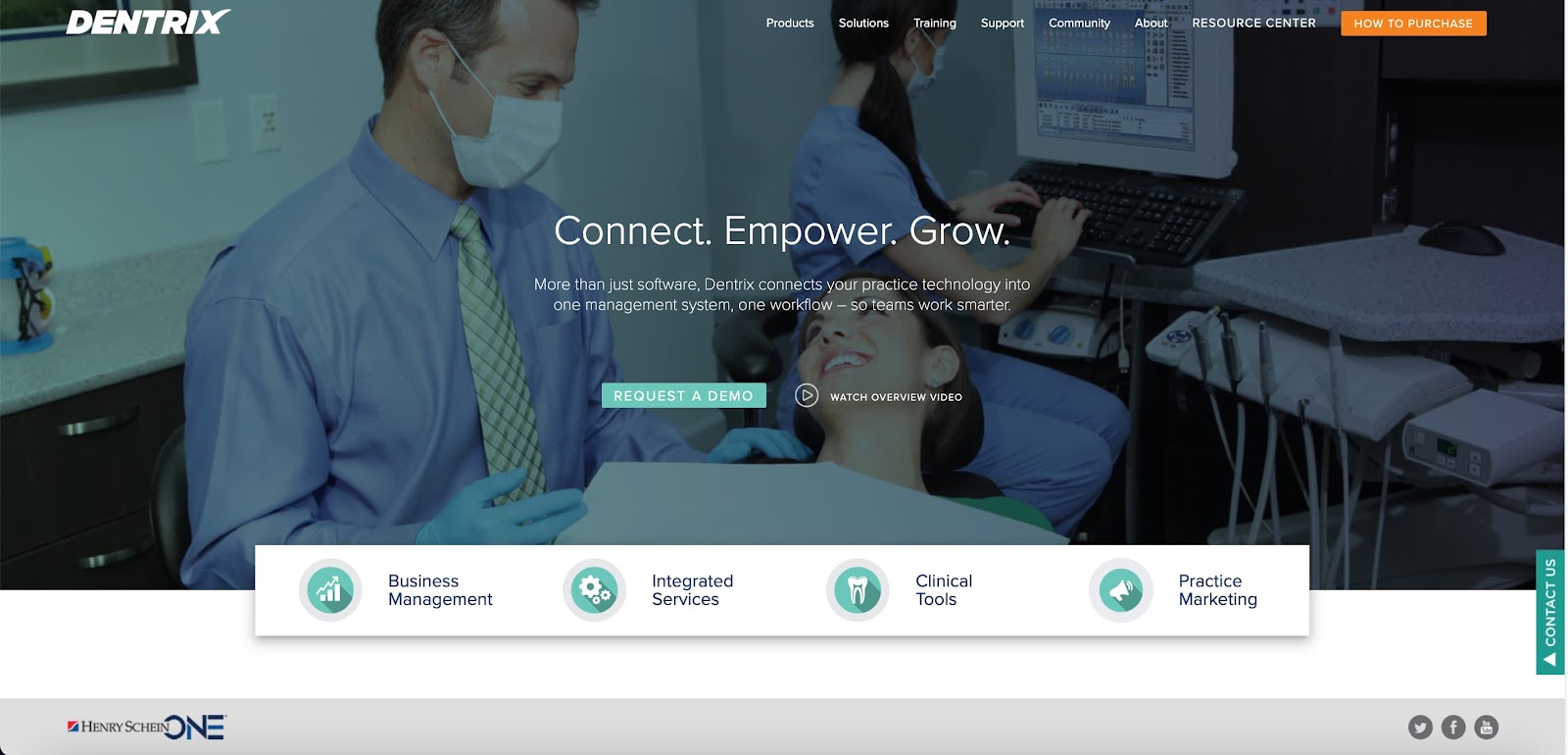
**Our Take**: Dentrix is our pick for practices that want a fully-customizable option and don’t mind paying a premium to get it. (For a less expensive, cloud-based option, check out [Dentrix Ascend](https://info.dentrixascend.com/solo?utm_source=google&utm_campaign=ascend_solo&utm_medium=paid_search&utm_content=Dtxa_pms_solo_lp&tname=2024Q1_paid_search_ppc_Dtxa_pms_solo_lp&gad_source=1&gclid=CjwKCAiArLyuBhA7EiwA-qo80HIWX_BuEGwtmRoh5IX3dXWVYpV2U9egzTMk2VXhUEdYogkYIkkyJhoCi7UQAvD_BwE).)
**Service Model**: Server
**Ideal For**: Creating a custom PMS solution that includes managed IT support and hardware support (hardware as a service) while keeping your practice management on a local server instead of in the cloud.
**Pricing Model**: Prices are customized for each practice (see[How to Purchase](https://hubs.li/Q012nzXZ0)), and there’s a free demo available so you can see what Dentrix can do for you.
**Unique Features**: Managed dental IT support, hardware as a service, API management, and built-in cybersecurity.
**Integrations**: Dentrix [integrates](https://www.henryscheinone.com/dental-solutions/api-exchange/vendors-list/) with all Henry Schein software, plus dozens of AI tools, imaging, patient engagement, financial, and analytics solutions.
**Support & Training**: Support is available by web form, chat, email, and phone. Dentrix offers in-person training. You’ll need to [contact them](https://www.dentrix.com/training/in-office-training) to purchase training sessions for your staff. They also offer an online resource center, featuring training videos, articles, and a selection of free Mastery Track courses for clients. You’ll also need to pay for a service plan since getting help can be expensive without one.
**Strengths**: Full customization
**Tradeoffs**: Potentially high prices for both the software and tech support.
  **Dentists say:**
A dentist on [Dentaltown](https://www.dentaltown.com/messageboard/thread.aspx?s=2&f=145&t=393390&g=1&st=open%20dental) had this to say about Dentrix: *"We've used Dentrix for 15+ years and I've always been pretty happy."* [Dentrix users](https://www.capterra.com/p/2329/Dentrix/reviews/) say, *"It simplifies automated insurance claims and billing for an efficient dental practice,"* and *"Dentrix has been a great software to use in patient care. It is up to date, accurate, and quick."*
#### 7. **Tab32: Best for Specialty Practices**

4.3/5 ([41](https://www.capterra.com/p/149415/tab32/#reviews)) (Ratings as of 1/5/2026)
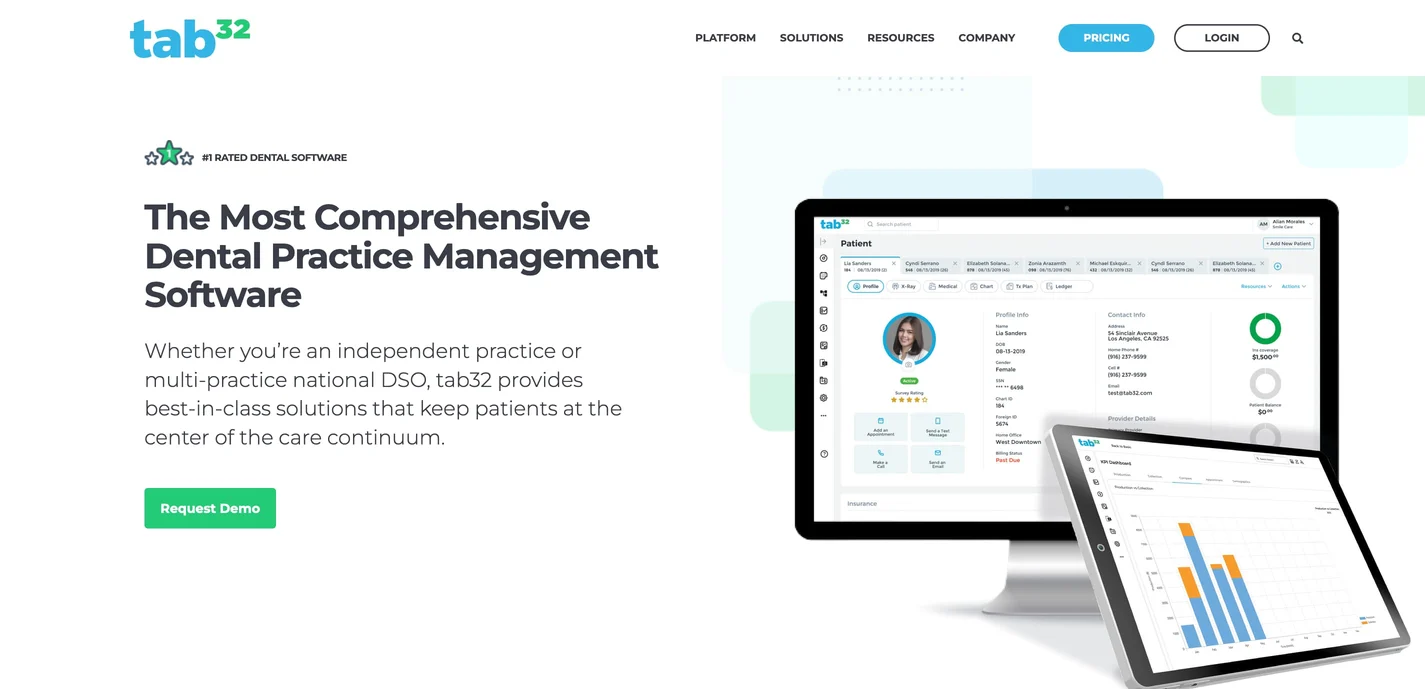
**Our Take**: [Tab32](https://tab32.com/) is our selection for specialty practices prioritizing features that support the work they do and the care they provide.
**Service Model**: Cloud
**Ideal For**: Specialty practices looking for improved efficiency that allows them to customize features and take advantage of automation for things like payment and membership plans, and patient communication.
**Pricing Model**: Pricing is on a per-case basis. You can obtain a quote by contacting the company through their [contact form](https://hubs.li/Q012R5MP0). You can use the same form to schedule a free demo.
**Unique Features**: In-house payment plan management, two-way patient texting, membership plan management, multi-specialty customization, and cloud X-ray storage.
**Integrations**: Custom integrations can be created within Tab 32’s modules to ensure you have everything you need. Best for those who don’t want to be limited to using existing APIs and want the freedom to work with a developer to create their own integrations.
**Support & Training**: Training is available through an extensive knowledge base, including webinars, videos, documents, and a learning management system. Support is available via chat, telephone, email, and social media. We received a quick response to our initial query, but follow-up questions received stock responses.
**Strengths**: Task automation, efficiency, specialty practice customization.
**Tradeoffs**: Learning curve is steeper than some other software on our list.
  **Dentists say:**
One dentist on [Reddit](https://www.reddit.com/r/Dentistry/comments/15rv05x/best_cloud_based_dental_software/) said that Tab 32 is *"Good but glitchy. Can be frustrating at times."* [Another](https://www.softwareadvice.com/dental/tab32-profile/reviews/) praised Tab 32 as *"I was a little apprehensive of using cloud-based software, but over the last couple of years, I am amazed at the progress the software has made. And hence, I decided to use this platform for my new practice too."* A [Dentaltown](https://www.dentaltown.com/messageboard/thread.aspx?s=2&f=161&t=267181&g=1&st=) user said, *"Been using tab32 for a year now in our office as part of an overhaul. I can say it has been the best investment we have made in the practice."*
#### 8. Cloud 9: Best for Orthodontists

4.6/5 ([46](https://www.capterra.com/p/212426/Cloud-9-Ortho/#reviews)) (Ratings as of 1/5/2026)
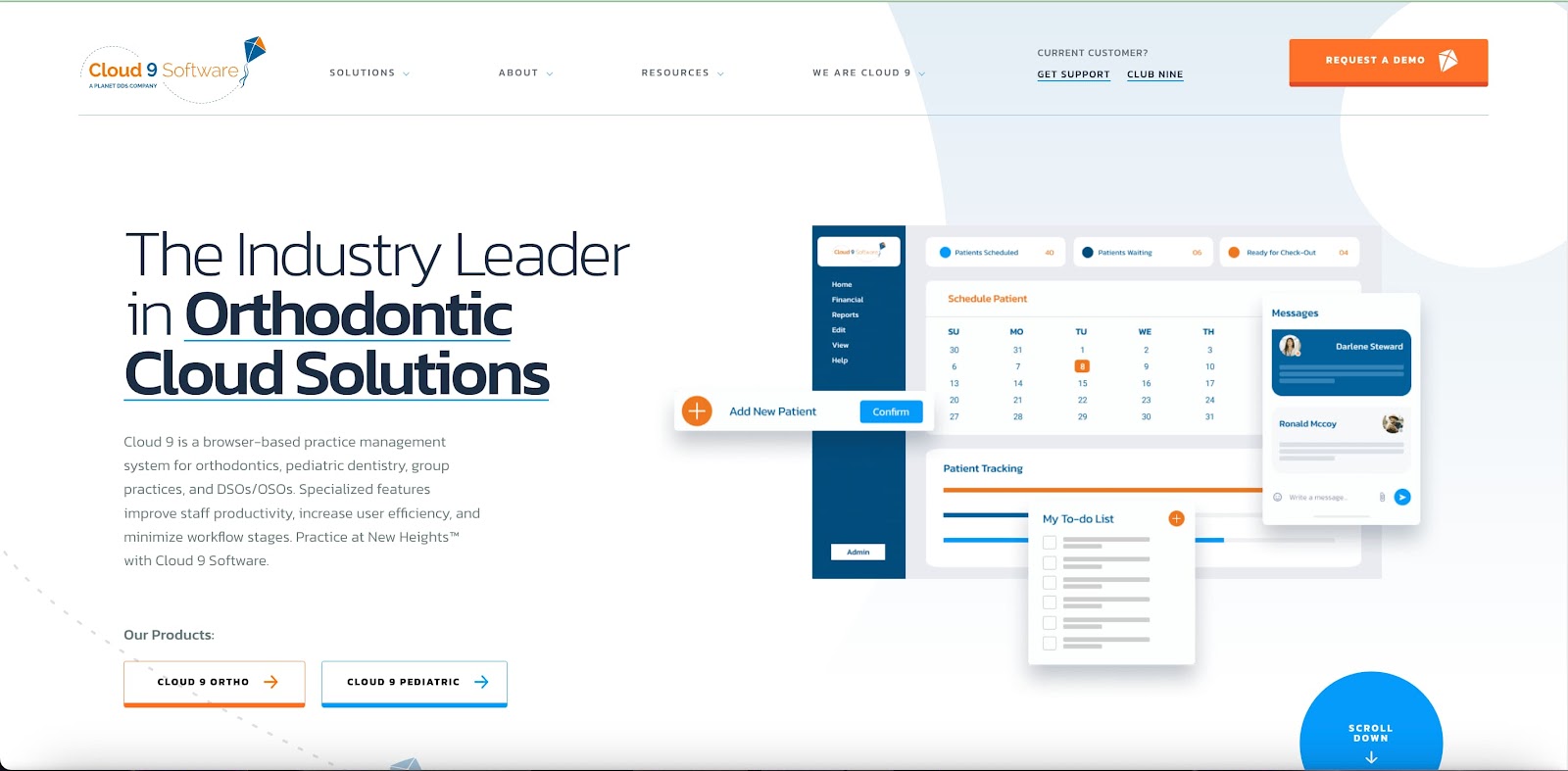
**Our Take**: [Cloud 9](https://hubs.li/Q012nWxy0) is our selection for orthodontic practices that want software that’s designed to address their unique services.
**Service Model**: Cloud
**Ideal For**: Providing orthodontic practices with specialty-specific features to help them provide optimal care to their patients.
**Pricing Model**: Interested parties should [contact](https://hubs.li/Q012nWS20) Cloud 9 to discuss their needs and get a quote. There’s special pricing for new practices, so if that applies to you, make sure to ask about it.
**Unique Features**: Streamlined workflows, orthodontia-specific marketing and communication features, orthodontic treatment planning, and more.
**Integrations**: As part of the Planet DDS family, Cloud 9 offers practices the option to customize their tech stack to their liking with a robust selection of [integrations](https://www.planetdds.com/integrations/).
**Support & Training**: Free telephone/email support from 8:00 AM t0 8:00 PM EST Monday through Friday. There’s an online help center, and support staff monitors support requests for emergencies. We didn’t get an immediate response to our online message, but we got someone on the phone within a minute. Cloud 9 says its trainers will be with you “every step of the way,” and clients get access to the huge Planet DDS online resource library.
**Strengths**: Special features for orthodontists, including ortho treatment planning, marketing, and extensive training resources.
**Tradeoffs**: Not ideal for non-ortho practices.
  **Dentists say:**
*We've always had a great experience using Cloud 9. It's easy to maneuver, easy to teach to new staff, and just simple and effective for our day to day.*
[Software Advice](https://www.softwareadvice.com/dental/cloud9-profile/reviews/)
#### 9. Oryx Dental Software: Best for Automation

4.9/5 [(22)](https://www.g2.com/products/oryx-dental-software/reviews#reviews)(Ratings as of 1/5/2026)
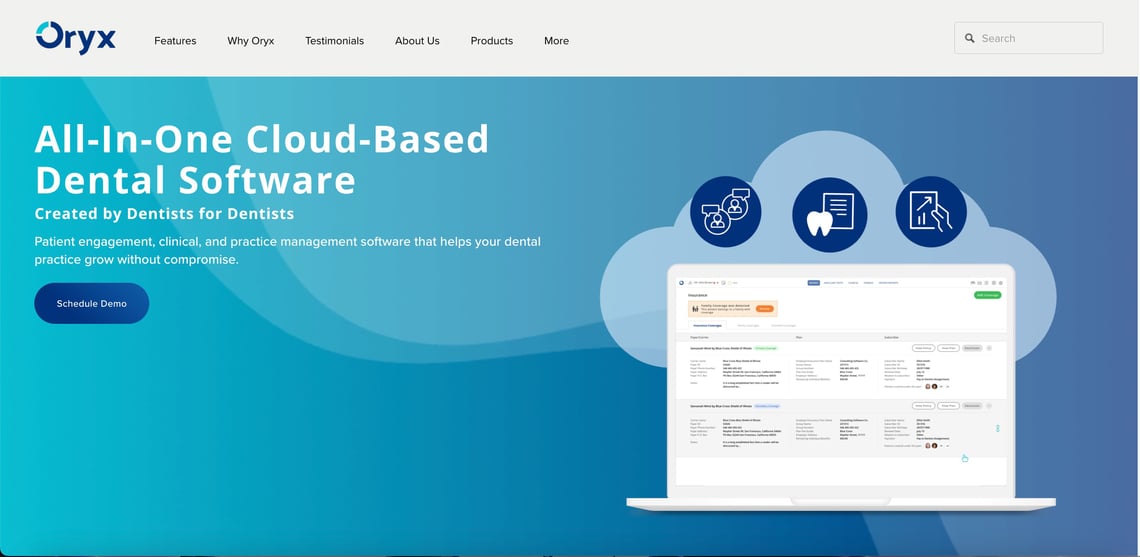
**Our Take**: [Oryx Dental Software](https://hubs.li/Q01MVzJF0) is our choice for dental practices looking to leverage advanced automation to improve and streamline the patient experience and staff responsibilities.
**Service Model**: Cloud
**Ideal For**: Practices looking for automation via AI-powered features to improve communications, as well as start-ups that want to prioritize the use of technology to streamline workflows.
**Pricing Model**: Oryx offers four pricing tiers: Oryx for Startups, Oryx Pro, Oryx Automate, and Oryx AI. Pricing must be requested from Oryx and will be provided based on your practice’s needs.
**Unique Features**: AI-powered features, revenue cycle management, a suite of tech tools specifically designed for start-ups, and an option for Canada-based dental practices.
**Integrations**: Oryx currently offers a limited [selection of integrations](https://www.oryxdental.com/partners/), so it may not be ideal for practices that use multiple third-party tools.
**Support & Training**: Web and telephone support hours are 8:00 AM Eastern Time through 5:00 PM Pacific Time. We completed Oryx’s web form to request additional training information. *We received an automated response stating that we’d receive a detailed response within one hour. We received a response in 2.5 hours.* For training, clients have access to an onboarding specialist, Oryx Academy, online webinars, one-on-one training sessions, a post-go-live session, and unlimited support. In-office training and billing training are available at an additional cost.
**Strengths**: Automation, multiple pricing tiers, start-up tools, AI-powered features
**Tradeoffs**: Billing is more confusing than it should be, and the interface could use some improvement.
  **Dentists say:**
One dentist on [Reddit](https://www.reddit.com/r/Dentistry/comments/1f3oiw6/thoughts_on_oryx_software/) said, *"Oryx has a built-in clearing house which makes it pretty easy to send claims."* A dentist on [Dentaltown](https://www.dentaltown.com/messageboard/thread.aspx?s=2&f=161&t=386333&g=1&st=) said, *"I opened my pedo startup with Oryx a few months ago, and it has been great for us so far. I like the automated text messages/emails (which also can be sent directly from the patient chart) and the ability to integrate with Mango, so the patient picture/chart pops up when they call."*
#### 10. MOGO: Best for Small Dental Practices

4.4/5 ([59](https://www.getapp.com/healthcare-pharmaceuticals-software/a/mogo/reviews/)) (Ratings as of 1/5/2026)
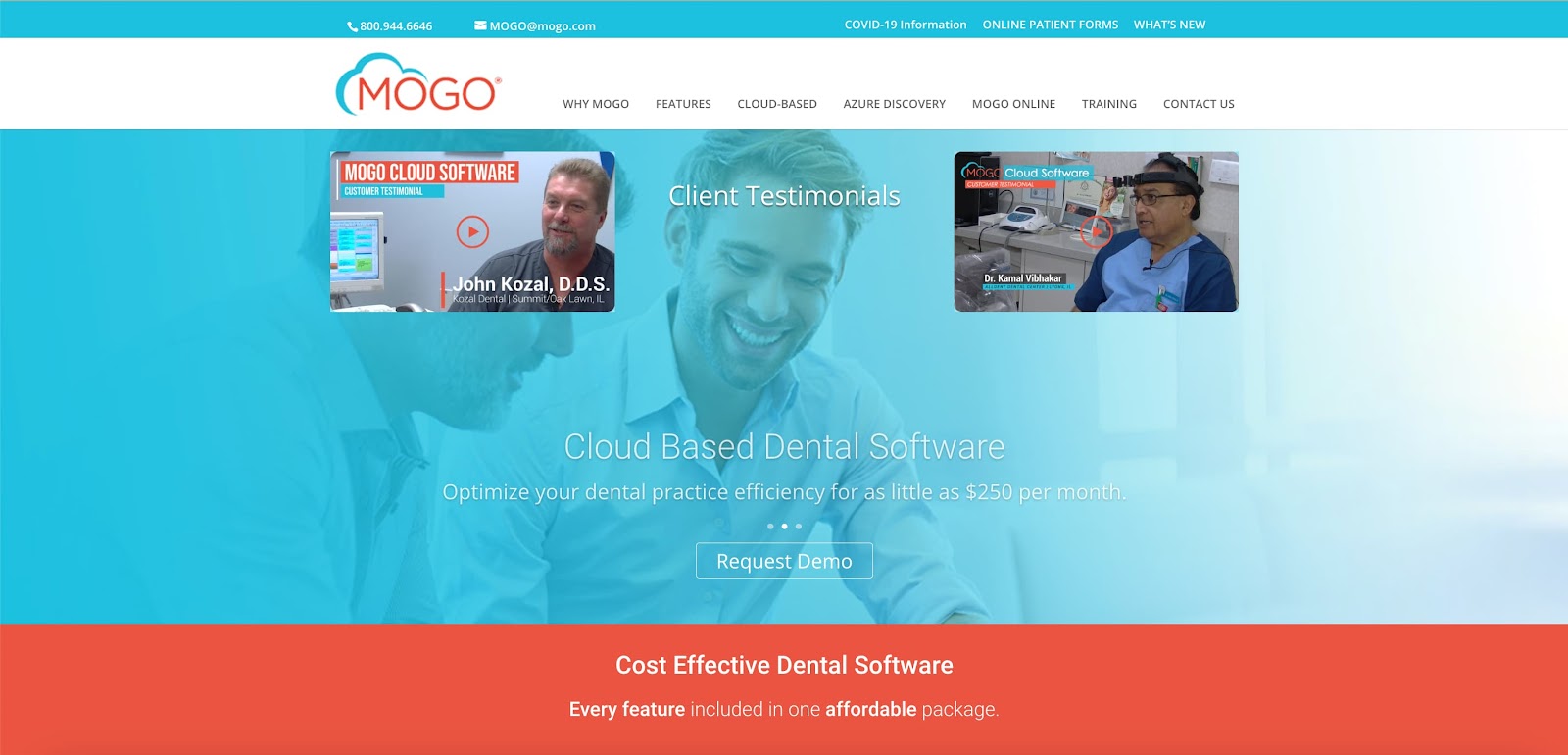
**Our Take**: [MOGO](https://hubs.li/Q012nQsQ0) is our selection for small and start-up dental practices that want an affordable PMS that still provides robust features.
**Service Model**: Cloud
**Ideal For**: Helping new or small practices get up and running quickly at an affordable price that won’t break the budget.
**Pricing Model**: Their all-inclusive package costs just $250 per month. Enterprise pricing is available for larger practices.
**Unique Features**: LabLink case status, patient eSignatures, restorative & periodontal charting, ePrescriptions, and image annotation.
**Integrations**: MOGO offers somewhat limited integrations, mostly with imaging software. You’ll need to check that your chosen tools work with MOGO.
**Support & Training**: Telephone support is available during business hours, from 8:00 AM to 5:30 PM Central Time. There’s an online ticketing system, but some reviewers say that responses are slow to arrive outside of business hours. We used MOGO’s online ticketing system to ask questions about training. *We didn’t receive a response,* but when we reached out by phone, we were quickly connected with a sales agent.
MOGO offers online training, with practices able to order custom-designed training at an hourly rate. Their website features an extensive on-demand video library as well as tech support that receives extremely high marks for responsiveness.
**Strengths**: Intuitive interface; willing to work with practice owners to add or adapt features.
**Tradeoffs**: Limited support options.
  **Dentists say:**
One dentist on [Reddit](https://www.reddit.com/r/Dentistry/comments/3abjl5/i_would_love_to_have_your_input_on_practice/) said, *"I researched many cloud based software dental programs prior to my purchase and found that the Mogo Cloud was the most bang for my buck."* A [Dentaltown](https://www.dentaltown.com/messageboard/thread.aspx?s=2&f=2614&t=361852&g=1&st=) user said, *"I have had MOGO Cloud for 4 1/2 years. So far so good."*
The paperwork side of this, already written.
Fifteen editable files: welcome letters, privacy practices, photo consent, the collections letter and phone script, the daily checklist and the weekly hygiene tracker. [Get the free template pack →](https://info.titanwebagency.com/office-forms?utm_source=blog&utm_medium=inline_cta&utm_campaign=office-forms&utm_content=dental-management-software-reviews-end)
## **Which Dental Practice Management Trends Are Important for 2026?**
While there are plenty of constants in managing a dental practice, here are a few ongoing and emerging trends you should keep an eye on.
1. **AI and Automation** are both trends that are here to stay. AI can now power more features than ever. Some highlights include X-ray interpretation, carie detection, voice and perio charting, predictive scheduling and recall optimization, claims scrubbing and coding, and more. Keep in mind that dentists remain responsible for diagnosis and treatment, even when AI tools assist.
2. **Mobile Solutions** aren’t new, but the trend is increasingly toward PMS solutions, including a dedicated mobile app for both dentists and patients. Mobile solutions also play a role in charting, imaging, and treatment planning.
3. **Integrated Digital Imaging** is key for dentists who want to retain their existing imaging software. Some practice management solutions now include imaging software, which may be desirable for many practices.
4. **Patient Experiences** continue to be crucial for dental practices that want to attract new patients and expand their service areas. Several of the software solutions we’ve rated include enhanced patient communication and other features to ensure patients are happy.
5. **Practice Data** is essential to good decision-making, and that’s why many of the dentists we work with prefer a PMS that collects data.
6. **Membership Program Management** isn’t yet at the stage where every PMS includes it, but we do see this as a growing trend. Memberships build loyalty and trust, so it makes sense that more practices are creating membership programs.
## **Frequently Asked Questions About Dental Practice Management Software**
### **What is the best dental software for small practices?**
For most small general practices, Open Dental and MOGO are the best starting points in 2026. Open Dental suits offices that want to customize their software and are comfortable with a server. MOGO is a simple cloud option with predictable monthly pricing for smaller teams.
### **How does dental software improve patient care?**
Dental software improves patient care by making dental practice management more accurate, efficient, and engaging. Dentists and staff have access to up-to-date patient histories and treatments, while automated appointment reminders and follow-ups help patients stay on track.
### **How secure is patient data in dental software?**
Patient data security is essential in dental software, which is why every software solution we recommend is HIPAA-compliant and prioritizes security. The use of encryption, access controls, and regular security audits minimizes the risk of a breach and keeps patients’ personal information secure.
### **Can dental software integrate with existing systems?**
Yes, most (if not all) dental software solutions are designed for seamless integration with existing systems, including digital imaging equipment, electronic health records (EHRs), accounting software, analytics, etc. Strong integration capabilities help streamline workflows, minimize redundant data entry, and reduce the risk of errors.
### **Will Google favor certain software in search results or AI overviews?**
Google doesn’t endorse specific products; however, if the software has a strong online presence, is mentioned on multiple websites, and makes its website easy for AI models to read, it will likely appear more often in AI results when searching for practice software. It’s not an endorsement; it’s simply easier for Google and the AI tools to gather data on that piece of software.
## **Final Thoughts About Dental Practice Management Software**
The right dental practice management solution can help you streamline your processes, make your [dental office more productive and efficient](https://blog.titanwebagency.com/increase-productivity-dental-office), and keep your patients happy and satisfied. If you’re not fully happy with your dental practice software, check out some of the demos of the software systems on our list to see if they work better for you.
All pricing and features are up to date as of December 2025. We will update this post if anything changes.
While some of the software options we’ve reviewed offer marketing features, they are often basic, have limited functionality, and rarely provide the insight needed to analyze the effectiveness of your marketing campaigns properly. They can’t replace the services of an [experienced dental marketing agency](https://titanwebagency.com/about-us/).
If you need help growing your practice, or if your software was mentioned on this list and you believe any information was misrepresented or needs updating, contact us.
No company has paid to be featured on this list.
Free strategy call
Software picked. Now, is your marketing keeping the chairs full?
We'll review how new patients find and book with you, and what to fix so the practice runs as well as the software does.
[Book a Free 15-Min Strategy Call](https://info.titanwebagency.com/appt?utm_source=blog&utm_medium=inline_cta&utm_campaign=appt&utm_term=card-dark&utm_content=dental-management-software-reviews-end)
No pitch. No pressure. Clear next steps.
- [Tyson Downs](https://blog.titanwebagency.com/author/tyson-downs)
- [Dental Software](https://blog.titanwebagency.com/topic/dental-software)
Tyson Downs Founder, Titan Web Agency
[](https://www.facebook.com/titanwebagency) [.png)](https://twitter.com/TitanWebAgency) [.png)](http://www.linkedin.com/in/tysondowns)
Tyson Downs is the founder of Titan Web Agency, a company specializing in marketing for dental professionals. With an impressive track record of working with over 100 dental practices, Tyson has a deep understanding of the unique marketing needs within the dental industry.
## Related Posts
[Browse all posts](https://blog.titanwebagency.com/)
### Best Dental Patient Communication Software (2026): Top 10 Picks, Features, Pricing
As a dental practice owner or office manager, you understand...
Updated April 9, 2026
[Read More .svg)](https://blog.titanwebagency.com/best-dental-patient-communication-software)
### Top 10 Dental Scheduling Software Options for 2026: Grow Your Practice and Reduce No-Shows
Patients expect to book dental appointments online in seconds. The...
Updated September 26, 2026
[Read More .svg)](https://blog.titanwebagency.com/best-dental-scheduling-software/)
[](https://titanwebagency.com/)
[Results](https://titanwebagency.com/results/)
[Reviews](https://titanwebagency.com/reviews/)
[Portfolio](https://titanwebagency.com/portfolio/)
[](https://www.google.com/partners/agency?id=6710457398)
SERVICES
- [Local SEO](https://titanwebagency.com/services/local-seo/)
- [AI Search Optimization](https://titanwebagency.com/services/ai-geo/)
- [Pay Per Click Management](https://titanwebagency.com/services/pay-per-click/)
- [Web Design](https://titanwebagency.com/services/web-design/)
- [Logo Design](https://titanwebagency.com/services/logo-design/)
- [Website Hosting & Maintenance](https://titanwebagency.com/services/website-maintenance/)
- [Review Management](https://titanwebagency.com/services/review-management/)
- [Branding & Rebranding](https://titanwebagency.com/services/branding-rebranding/)
RESOURCES
- [Dental Marketing Guide](https://titanwebagency.com/dental-marketing-guide/)
- [How to Get More Dental Patients](https://titanwebagency.com/attract-dental-patients/)
- [Running a Dental Practice](https://titanwebagency.com/running-a-dental-practice/)
- [Dental Practice Transitions](https://titanwebagency.com/dental-practice-transitions/)
- [Blog](https://blog.titanwebagency.com/)
- [Podcast](https://titanwebagency.com/podcast/)
GET IN TOUCH
[Call (801) 783-3101→](tel:8017833101) Schedule a call→ [Contact form→](https://titanwebagency.com/contact/)
[](https://www.facebook.com/TitanWebAgency) [](https://twitter.com/TitanWebAgency) [](https://instagram.com/titanwebagency/) [](https://www.linkedin.com/company/titan-web-agency) [](https://www.youtube.com/user/TitanWebAgency)
Copyright © 2026 [Titan Web Agency.](https://titanwebagency.com/) All rights reserved.
[Privacy Policy](https://titanwebagency.com/privacy-policy/)[Cookie Policy](https://titanwebagency.com/cookie-policy/)[Contact](https://titanwebagency.com/contact/)[Utah Dental Web Design](https://titanwebagency.com/utah-dental-web-design-company/)[Utah Dental SEO](https://titanwebagency.com/utah-dental-seo-company/)[Utah Dental Marketing](https://titanwebagency.com/utah-dental-marketing-agency/)


[ Call](tel:(801)%20783-3101) [ Schedule](https://app.lunacal.ai/titanwebagency/meeting/embed?embed=meeting&layout=&embedType=inline&duration=15) [ Contact Us](https://titanwebagency.com/contact/)
```json
{
"@context" : "https://schema.org",
"@id" : "https://blog.titanwebagency.com/dental-management-software-reviews#article",
"@type" : "BlogPosting",
"associatedMedia" : {
"@type" : "AudioObject",
"contentUrl" : "https://mcdn.podbean.com/mf/web/v65edikq6ir4j753/230_-_Top_10_Dental_Practice_Management_Software_Platforms_2026_Reviews_66kpw.mp3",
"embedUrl" : "https://mcdn.podbean.com/mf/web/v65edikq6ir4j753/230_-_Top_10_Dental_Practice_Management_Software_Platforms_2026_Reviews_66kpw.mp3",
"name" : "Audio version: Best Dental Practice Management Software Reviews for 2026",
"url" : "https://healthcaremarketing.podbean.com/e/the-top-10-dental-practice-management-platforms-for-2026-reviewed/"
},
"author" : {
"@type" : "Person",
"name" : "Tyson Downs",
"sameAs" : [ "https://www.linkedin.com/in/tysondowns/" ],
"url" : "https://blog.titanwebagency.com/author/tyson-downs"
},
"dateModified" : "2026-01-08T09:00:00-07:00",
"datePublished" : "2015-05-04T09:00:00-06:00",
"description" : "Recommendations for the top 10 dental practice management software solutions in 2026, with information about pricing, features, security, and more.",
"hasPart" : [ {
"@type" : "Question",
"acceptedAnswer" : {
"@type" : "Answer",
"text" : "The best way we know to choose the right dental practice management software for 2026 is to read expert evaluations and take advantage of free demos and free trials. That way, you can assess each option for yourself and select the one that meets your needs."
},
"name" : "What’s the best way to choose dental practice management software?"
}, {
"@type" : "Question",
"acceptedAnswer" : {
"@type" : "Answer",
"text" : "Dental practice management software is an all-in-one solution that streamlines every aspect of dental or orthodontic practice management, including scheduling, communication, billing, insurance claims, payments, staff tracking, patient data security, charting, integrations, diagnostics, and treatment planning."
},
"name" : "What is Dental Practice Management Software?"
}, {
"@type" : "Question",
"acceptedAnswer" : {
"@type" : "Answer",
"text" : "Key features include appointment scheduling and reminders, billing/payments/insurance processing, clinical documentation, treatment plans, patient records, security and compliance, staff scheduling, and reputation and online review management."
},
"name" : "What Are the Key Features of Dental Practice Management Software?"
}, {
"@type" : "Question",
"acceptedAnswer" : {
"@type" : "Answer",
"text" : "Before buying, consider must-have features, problems you need to solve to grow, which existing tools you’ll keep (and integrations required), OS/browser support, ease of learning, support and training provided, total cost and add-ons, and how easy it is to migrate in and out later."
},
"name" : "What Questions Should You Ask Yourself Before Buying Dental Practice Software?"
}, {
"@type" : "Question",
"acceptedAnswer" : {
"@type" : "Answer",
"text" : "Security questions include HIPAA/HITECH and Business Associate Agreements, data location and redundancy (backup strategy and ransomware protection), access controls and audit logs, what happens if you leave (export formats, fees, and retention), what AI diagnostic features exist and whether they’re FDA approved, and whether the software integrates with your existing systems."
},
"name" : "Which Security, Compliance, and Data Ownership Questions Should You Ask Vendors?"
}, {
"@type" : "Question",
"acceptedAnswer" : {
"@type" : "Answer",
"text" : "The evaluation criteria included HIPAA compliance, core features like charting and appointments, ease of use, support and training, special features, online reviews from dentists, security and data protection, and integrations/interoperability."
},
"name" : "How Did We Evaluate the Software On Our List?"
}, {
"@type" : "Question",
"acceptedAnswer" : {
"@type" : "Answer",
"text" : "The guide names Open Dental as the best overall pick and provides additional best-fit picks for patient experience, integrations, ease of use, paperless office management, customization, specialized practices, orthodontics, automation, and small practices."
},
"name" : "What is the Best Dental Practice Management Software in 2026?"
}, {
"@type" : "Question",
"acceptedAnswer" : {
"@type" : "Answer",
"text" : "Trends highlighted include AI and automation, mobile solutions, integrated digital imaging, increased focus on patient experience, greater use of practice data for decision-making, and growing membership program management."
},
"name" : "Which Dental Practice Management Trends Are Important for 2026?"
}, {
"@type" : "Question",
"acceptedAnswer" : {
"@type" : "Answer",
"text" : "For most small general practices, Open Dental and MOGO are the best starting points in 2026. Open Dental suits offices that want to customize their software and are comfortable with a server. MOGO is a simple cloud option with predictable monthly pricing for smaller teams."
},
"name" : "What is the best dental software for small practices?"
}, {
"@type" : "Question",
"acceptedAnswer" : {
"@type" : "Answer",
"text" : "Dental software improves patient care by making dental practice management more accurate, efficient, and engaging. Teams can access up-to-date patient histories and treatments, while automated reminders and follow-ups help patients stay on track."
},
"name" : "How does dental software improve patient care?"
}, {
"@type" : "Question",
"acceptedAnswer" : {
"@type" : "Answer",
"text" : "Patient data security is essential in dental software. The guide states the recommended solutions are HIPAA-compliant and rely on safeguards such as encryption, access controls, and regular security audits to minimize breach risk."
},
"name" : "How secure is patient data in dental software?"
}, {
"@type" : "Question",
"acceptedAnswer" : {
"@type" : "Answer",
"text" : "Yes. The guide notes most dental software solutions are designed to integrate with existing systems such as digital imaging tools, electronic health records (EHRs), accounting software, analytics, and other platforms to streamline workflows and reduce redundant data entry."
},
"name" : "Can dental software integrate with existing systems?"
}, {
"@type" : "Question",
"acceptedAnswer" : {
"@type" : "Answer",
"text" : "The guide explains Google doesn’t endorse specific products. However, software with a strong online presence, mentions across multiple sites, and machine-readable pages may appear more often in AI results because it’s easier for systems to gather data on it."
},
"name" : "Will Google favor certain software in search results or AI overviews?"
} ],
"headline" : "Best Dental Practice Management Software Reviews for 2026",
"image" : {
"@type" : "ImageObject",
"height" : 620,
"url" : "https://blog.titanwebagency.com/hubfs/Best%20Dental%20Practice%20Management%20Software%20of%202025_Reviews%2c%20Pricing%20%26%20Features2_rectangle.jpg",
"width" : 1200
},
"inLanguage" : "en",
"isPartOf" : {
"@id" : "https://blog.titanwebagency.com/#blog",
"@type" : "Blog",
"name" : "Titan Web Agency Blog",
"url" : "https://blog.titanwebagency.com/"
},
"mainEntityOfPage" : {
"@id" : "https://blog.titanwebagency.com/dental-management-software-reviews",
"@type" : "WebPage"
},
"publisher" : {
"@type" : "Organization",
"logo" : {
"@type" : "ImageObject",
"height" : 180,
"url" : "https://titanwebagency.com/wp-content/uploads/2025/01/LOGO3-New-Blue-No-Tagline-Titan-Blue-Logo-1-1.png",
"width" : 453
},
"name" : "Titan Web Agency",
"url" : "https://titanwebagency.com/"
},
"url" : "https://blog.titanwebagency.com/dental-management-software-reviews"
}
```