

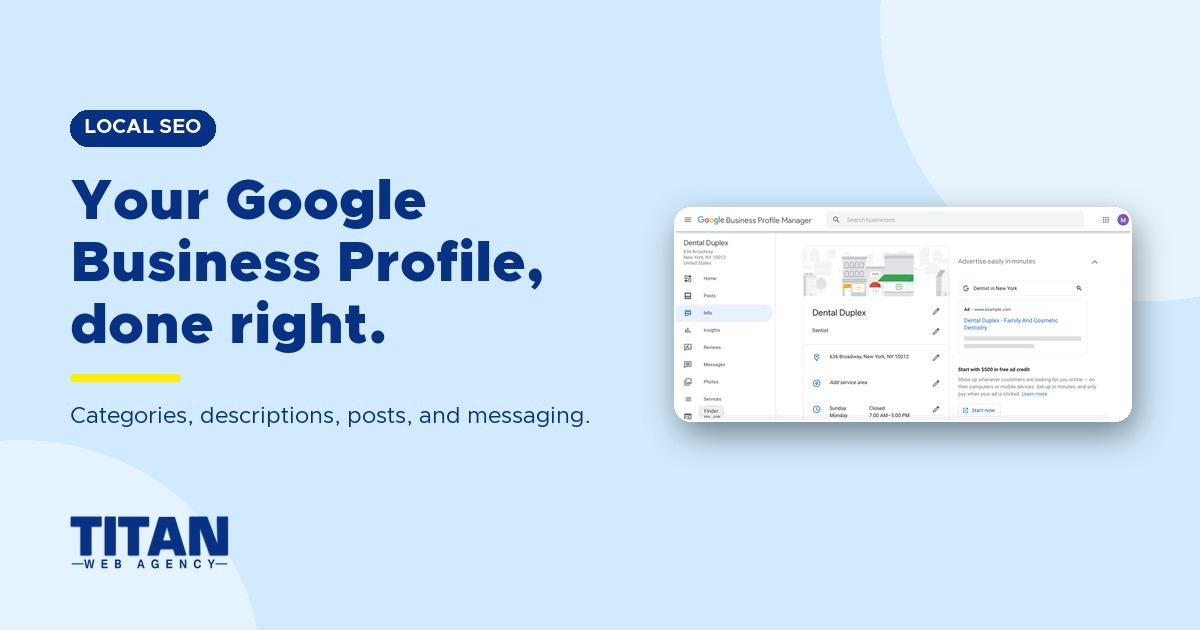
Most patients who search for a dentist near them see your Google Business Profile before they see your website, and many call straight from it. That makes your profile one of the most important pages your practice has, even though it isn't on your site.
This guide covers what affects where your profile shows up in Google Maps, the settings that turn a profile view into a phone call, what changed recently and what Google is testing next.
Key Takeaways
- Google ranks local results mainly on relevance, distance and prominence. Accurate details and a strong reputation help, but nothing guarantees a specific ranking.
- Your categories, services, hours and photos tell Google what you do. Your reviews, website and mentions across the web tell Google how trusted you are.
- Calls, direction requests and booking clicks are what your profile produces. Use a tracking number and your scheduling records to see which ones turn into appointments.
- Google retired chat and call history in 2024 and ended outside access to Q&A in November 2025. Eligible profiles can now add text messaging or WhatsApp.
What Is Google Business Profile?
Google Business Profile is the free listing that controls how your dental practice appears in Google Search and Google Maps: your name, address, phone number, hours, website, photos and reviews. It used to be called Google My Business.
If patients visit your office, your profile should show that physical location. Drawing patients from surrounding cities doesn't make your practice a service-area business. Google uses that designation for businesses that travel to customers or deliver to them. A practice that sees patients both at its office and at patients' locations may qualify as a hybrid business.
If you run Google Ads, link your Business Profile and set up location assets so your ads can show in Google Maps. To run Local Services Ads for dentists, you need a verified profile that passes Google's screening.

Free Download
Your profile is the whole ballgame for near me searches
Many patients call straight from the map pack without ever opening a website. Ten steps to making that listing the one they pick.
15 pages. One email, no phone call.
How Google Decides Which Dentists Show Up in Google Maps
Google says local results are based mainly on three factors:
- Relevance: how well your profile matches what the patient searched. Your categories, services and description do most of this work.
- Distance: how far your office is from the searcher, or from the location in their search. You can't change this one.
- Prominence: how well known and trusted your practice is. Google looks at your review count and rating, plus links, articles and directory listings about you across the web. Google also says your website and its SEO count toward prominence.
That's why two practices with the same address can rank very differently. The one with the more specific categories, the more complete profile, more recent reviews and a stronger website usually wins.
If Your Practice Is Nearby but Not in the Map Pack
Agency Insight: When a nearby practice misses the map pack, there are three things we check first.
Being close to the searcher matters, but it won't get your practice into the map pack on its own. Google also needs to understand that you offer the treatment the patient wants. If your office is nearby but isn't showing in local results, check these three areas:
- Your primary category is too broad. Choose the most specific category that accurately describes your practice. For example, "Pediatric dentist" tells Google more about a children's dental practice than "Medical clinic."
- Your services list is missing treatments. A blank or incomplete Services section gives Google less information to match your practice with searches for specific treatments. List the services you actually offer.
- Your website doesn't explain what you treat. Name your treatments, procedures and the conditions you address, then explain them clearly. This helps Google connect the information on your website with your Business Profile and the patient's search.
Make your profile and website clear and consistent about what you offer. That helps Google understand when your practice fits a local search and gives you a stronger chance of showing up.
How to Optimize Your Google Business Profile for More Calls
1. Claim and Verify Your Profile
You can claim your profile directly from Google Search or the Google Maps app. Search for your practice name or "my business" and follow the prompts, then use the verification method Google offers. If Google asks for a video, record one continuous, unedited video live in the app. Show your street or nearby landmarks, your permanent exterior signage and the inside of your office. Keep patients' faces and any records out of the frame.
2. Choose the Right Categories
Choose the most specific primary category that accurately describes your practice, such as "Dentist," "Pediatric Dentist" or "Orthodontist." Add secondary categories only if they appear in Google's category list and describe what your practice actually does.
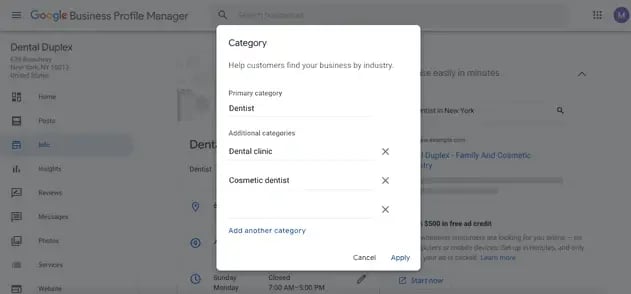
Depending on the practice, we typically add these, but only when they fit:
- Dental Clinic
- Cosmetic Dentist
- Emergency Dental Service
- Dental Implants Provider
- Teeth Whitening
Don't add a category for every treatment. List individual procedures in the services section instead.
3. List the Treatments You Offer
Add each treatment your practice provides, such as crowns, clear aligners, dental implants or sedation, with a short description. It tells Google what you treat without stretching your categories, and it gives patients a reason to call.
4. Get Your Name, Address, Phone Number and Hours Right
Use the real-world name on your signage and website, with no added keywords or city names. Adding terms like "Best Cosmetic Dentist" breaks Google's rules and can get your profile suspended. Keep your address and main office phone number consistent across your website and other directories. Set holiday and special hours ahead of time so patients don't call or show up when you're closed.
5. Write a Clear Business Description
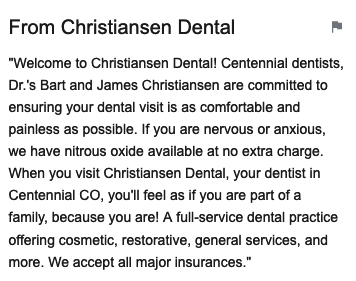
You have up to 750 characters. Explain who you treat, what makes visits easier (bilingual staff, evening hours, sedation) and where you're located. Write for patients, and leave out links, sales offers and phone numbers. Google doesn't allow them in the description.
6. Add a Booking Link
Add an appointment link that goes straight to your online scheduling page. Many dental platforms can set it for you. Weave and Henry Schein One (Dentrix) connect to your profile and add their scheduling link. Some, including CareStack, NexHealth, Dental Intelligence and Planet DDS, also support Reserve with Google, which lets patients book without leaving Google. Ask your vendor which option yours offers. While you're in the profile editor, fill in the accessibility and amenity details Google offers for your practice.
7. Use Real Photos and Update Them
Use original photos of your building, reception area, operatories and team so patients recognize your office when they arrive. Skip stock photos. Update them when your team or office changes so patients know what to expect.
8. Ask for Reviews and Reply Carefully
Invite patients to leave an honest review using your profile's review link, whether you expect it to be positive or not. Screening patients so only happy ones get asked, known as review gating, breaks Google's rules, and so does offering anything in exchange. Reply to every review professionally, and never confirm that someone is a patient or mention their treatment. The ADA's guidance on online reviews explains why.
Agency Insight: In competitive markets, the practices that win the map pack long term rarely have a review blitz. They have a steady flow, because asking for a review is part of the checkout routine instead of a campaign someone remembers once a quarter.
9. Post Updates Regularly
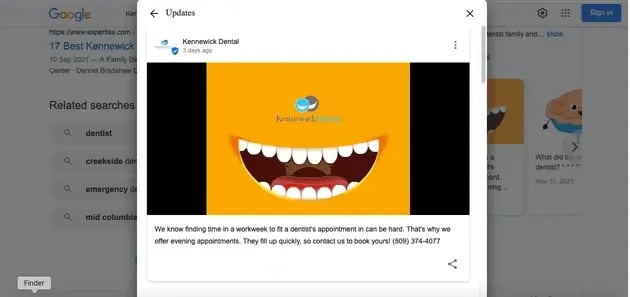
Use Google posts to share new-patient offers, team news and office updates. You can schedule posts ahead of time, so one sitting a month can keep your profile current.
10. Track the Calls That Turn Into Appointments
Your performance report shows call-button clicks, direction requests and website clicks from Search and Maps. A call click doesn't mean the call connected or the patient booked. Use a local tracking number as your main profile number, keep your office line listed as an additional phone and match the calls against your scheduling software to see how many appointments your profile actually brings in.
Ten steps covering the Google Business Profile, reviews, listings and the AI answers now sitting above the map pack. Get the free local search guide →
What's Changed With Google Business Profile Recently
The Old Chat and Call History Features Ended in 2024
Google retired Business Profile chat and call history on July 31, 2024. Eligible profiles can now add a text messaging or WhatsApp option so patients can message you from your profile.
Q&A Is Being Phased Out
Google ended third-party access to Q&A in November 2025 and has been pulling the public Q&A section from profiles. Some owners can still see older questions in their dashboard. Google Maps now uses AI to answer patient questions from your profile, reviews, photos and website, so keep those complete.
If Google Suspends Your Profile
Find what broke Google's guidelines, such as keywords in your name or an address patients can't visit, and fix it. Then appeal through Google's appeals tool with documents that prove your practice is real. Never create a new profile to get around a suspension.
What's Next for Google Business Profile
Business Home
Google is testing Business Home, a dashboard that brings together your Business Profile, Google Ads, YouTube and Merchant Center. It uses Gemini to help you review customer feedback, draft posts and create images. There's also a brand kit for your logo, colors and writing style.
For a dental practice, one useful feature is finding what patients mention in reviews. If they consistently praise how your team explains treatment or helps nervous patients, compare that with your website copy. Does your website give those strengths enough attention? The insights are only as good as your review count, though. A practice with a dozen reviews won't learn much.
According to Google's Business Home guide, it's an invitation-only beta for select business types in the US and UK. Until you have access, keep managing your profile through Search or Maps.
AI-Drafted Review Replies
Google is testing AI-written review replies on some Business Profiles. You can review and edit a suggested reply before posting it.
Read every draft. A reply that sounds friendly can still confirm that someone is a patient or reveal treatment details. Even "Thank you for coming in" does that. The ADA's guidance on online reviews says to keep replies general, even when the reviewer has shared those details publicly. Whoever writes the draft, your practice is responsible for what gets posted.
AI Calls on a Customer's Behalf
Google can call businesses for customers to check prices and availability. Its examples include auto repair shops, hair salons and pet groomers, and it doesn't list dentists so far.
Your front desk should already have clear answers about new-patient appointments, insurance and pricing. Make sure everyone who answers the phone knows what to say, including when they need more information before quoting a price. That preparation helps with every inquiry, no matter who's calling.
Why Your Profile Matters for AI Search
AI tools pull from the same information Google uses for Maps: your profile, your reviews and your website. If your categories, services and hours are vague or out of date, AI answers about your practice will be too. Our guide to showing up in Google AI Overviews covers the website side.
Your Google Business Profile is just one piece of the puzzle. Working with a dental SEO agency covers the full set of signals that drive map pack visibility. If you're comparing agencies, here are the dental SEO agency red flags to watch for.
If your profile is accurate but patients still aren't finding you, use our dental local SEO troubleshooting guide to check your website, local visibility and inquiry tracking.
Frequently Asked Questions
Does my Google Business Profile affect my Google Maps ranking?
Yes. Google ranks Maps results mainly on relevance, distance and prominence. Your categories, services, reviews and website all feed relevance and prominence.
Should my dental practice be listed as a service-area business?
If patients visit your office, show your physical address. If you also treat patients at home or with a mobile unit, set up a hybrid profile that shows your address and your service area. Only a mobile-only dental practice should hide its address.
How many categories should a dental practice choose?
Pick the most specific primary category, then add only the extra categories that describe what you actually do. List individual treatments in the services section instead.
Ready to Get More Calls From Google Maps?
If your profile is set up but the phone isn't ringing, Titan Web Agency can review your listing, reviews and local rankings and show you what's holding back calls.

.png)
.png)
Tyson Downs is the founder of Titan Web Agency, a company specializing in marketing for dental professionals. With an impressive track record of working with over 100 dental practices, Tyson has a deep understanding of the unique marketing needs within the dental industry.

.svg)